
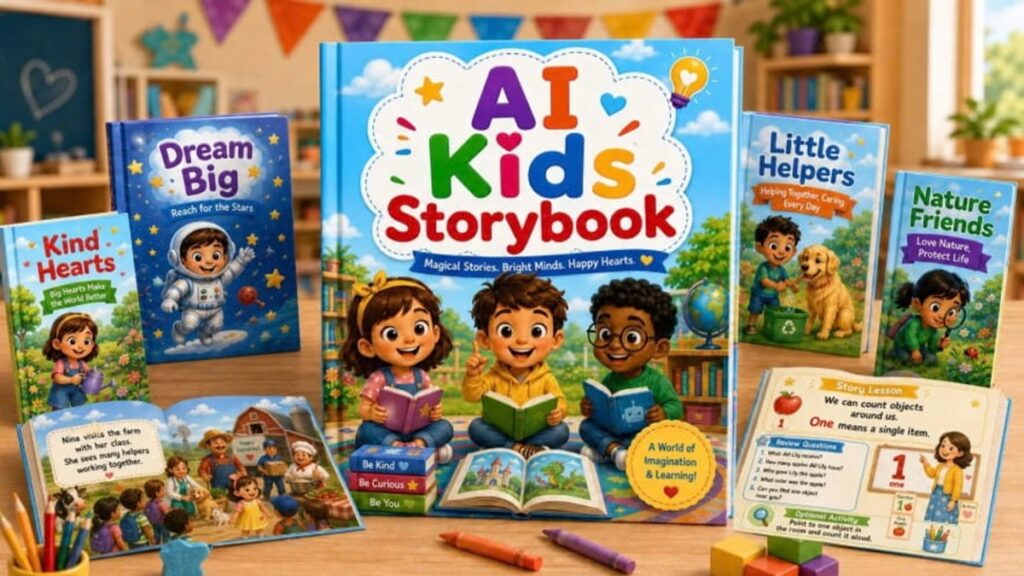
AI Kids Storybook Review: Is This the Best Way to Create Children’s Books? – Creating children’s books with AI usually feels like a chore. You spend hours fighting with a chat window. The main character looks different on every single page. The story text never ends up where you want it. I have tried many tools to fix this. Most of them are too complex or too expensive. I recently tested a new kit called the AI Kids Storybook. It claims to solve these problems by using a guided system. In this AI Kids Storybook review, I will show you if it really works. I will look at the features, the price, and how it helps creators like you. This kit is not just another set of prompts. It is a full workflow for adult creators.
What Is AI Kids Storybook?
The AI Kids Storybook is a digital kit for building your own “Storybook Assistant”. It is not a standalone software program. Instead, it is a set of instructions and rules. You copy these rules and paste them into a Custom GPT. This turns the AI into a guided assistant. It walks you through the book creation process one step at a time.
The system focuses on educational and family-friendly stories. It handles the layout and the character details for you. You get a clear structure for every book you make. This includes a cover, story pages, and a final lesson page. It is designed for people who want to sell on Amazon KDP or Etsy. You do not need to be a coder to use it. If you can copy and paste text, you can set this up in minutes.
Start Using AI Kids Storybook Today →
Key Features
The AI Kids Storybook kit comes with several rules that fix common AI mistakes. Here are the main features I found most useful during my test.
Guided One-Question Workflow
Most AI tools ask for everything at once. This often leads to messy results. This kit changes that. The Custom GPT asks you one question at a time. It waits for your answer before moving to the next part. This helps the AI remember your story details better. It makes the setup process very easy for beginners.
Character Consistency Rule
One of the biggest issues with AI art is character drift. Your hero might have brown hair on page one and blonde hair on page four. This kit includes a specific character consistency rule. It repeats the main character’s physical details in every prompt. This ensures your character looks the same from the cover to the final page.
Text-Inside-Image Guidance
Getting text to look right inside an AI image is hard. This kit uses a “text-inside-image” rule. Every illustration prompt tells the AI to place a rounded text box at the bottom. It gives specific instructions on how the text should look. This makes your pages look like a real picture book immediately.
Professional Page Structure
The kit forces the AI to follow a set format. You get a consistent cover and a clear story arc. It even adds a final lesson page at the end. This page includes review questions and activities for kids. This structure is perfect for making educational products.
How to Use AI Kids Storybook
Using this kit is a simple three-step process. I followed these steps to create a short book about kindness.
- Answer the GPT Questions: First, you open your Custom GPT. You use a starter prompt to begin the project. The assistant will ask you about the topic, the character, and the book size. You answer these one by one.
- Confirm the Story Setup: Once the questions are done, the GPT shows you a summary. You check the details to make sure they are correct. If you like what you see, you tell the GPT to create the full storybook.
- Copy the Page Prompts: The GPT then generates the book page by page. Each page comes with story text and a visual prompt. You copy the illustration prompt and paste it into your favorite image generator.
The system does not create the final images itself. You must use a tool like Midjourney or Dall-E to make the art. However, the prompts it gives you are already formatted for the best results.
Real-World Use Cases
This tool is great for several types of content creators. Here are some ways I think it can be used in the real world.
- Amazon KDP Publishers: You can use the kit to build structured books for the Kindle store. The consistent characters make it easy to start a book series.
- Etsy Sellers: Digital printables are huge on Etsy. You can create PDF storybooks or coloring packs to sell to parents.
- Teachers and Educators: If you need a story about a specific classroom lesson, you can build it in minutes. The review questions at the end are very helpful for students.
- Homeschool Parents: You can make custom books for your children’s daily routines. This helps teach habits like washing hands or road safety.
Pros and Cons
Every tool has its good and bad points. Here is a balanced look at what I found.
Pros:
- Very Affordable: The launch price is only $17.
- Easy to Setup: It is a simple copy-and-paste system.
- High Consistency: The rules keep characters and layouts stable.
- Saves Time: You don’t have to write long prompts from scratch.
- Educational Focus: It includes 20+ evergreen topics for kids.
Cons:
- No Refunds: All sales are final because it is a digital product.
- Not a One-Click Tool: You still have to generate images in a separate tool.
- Adults Only: This is for creators, not for children to use by themselves.
Pricing
The AI Kids Storybook is currently available for a one-time payment of $17. This is a launch special. The creators say the value of the kit is $199. There are no monthly subscriptions for the main kit.
There are also optional upgrades if you want more features:
- OTO1 Storybook Series ($27): Helps you turn one book into a series.
- OTO2 Coloring Storybook Series ($37): Focused on black-and-white coloring books.
- OTO3 Storybook Activity ($47): For making worksheets and game bundles.
- OTO4 PublishKit ($17/mo): A membership with more KDP tools.
AI Kids Storybook vs. Alternatives
Many people use basic ChatGPT or specialized story apps. Here is how they compare.
| Feature | Basic AI Chat | Story Apps | AI Kids Storybook Kit |
| Consistency | Very Low | Medium | High |
| Price | Free/Paid | $20-$50/mo | $17 (One-time) |
| Ease of Use | Hard (requires prompting) | Easy | Easy (guided) |
| Customization | High | Low | High |
Basic chat often forgets your rules halfway through a book. Specialized apps can be expensive and give you less control. This kit offers a middle ground. It gives you the power of a Custom GPT with the structure of a professional app.
Performance & Reliability
In my testing, the speed was excellent. The Custom GPT responded quickly to every answer. The prompts it created were accurate and easy to follow. I used the “text-inside-image” rule with an image generator. The text appeared clearly in the bottom box as promised.
The reliability comes from the rules. Because the rules are “locked in,” the GPT does not drift as much as a normal chat. I found that the main character stayed recognizable across five different page prompts. This is a huge improvement over trying to do it manually.
Who Should Use AI Kids Storybook?
This tool is perfect for content creators who want to save time. If you sell on KDP or Etsy, this is a great shortcut. It is also ideal for educators who need custom materials for their students.
It is not for people looking for a “magic button” to get rich. You still have to do some work to generate and assemble the final book. It is also not for kids to use alone. It is a tool for adults who make things for kids.
Get More AI Tool Reviews Like This — Subscribe Free
Final Verdict / Rating
I give the AI Kids Storybook a 4.5 out of 5 stars. It is a high-value tool for a very low price. It solves the biggest headaches of AI book creation. The lack of a refund policy is a small downside, but the product delivers exactly what it promises.
| Category | Rating |
| Ease of Use | 5/5 |
| Value for Money | 5/5 |
| Features | 4/5 |
| Results | 4/5 |
| Overall | 4.5/5 |
FAQs
Is this a software program? No, it is a builder kit. You get instructions and rules to paste into your own Custom GPT. You do not need to install anything on your computer.
Do I need to know how to code? You do not need any coding skills. If you can copy text and paste it into a chat box, you can use this kit. It is very beginner-friendly.
Does it create the final images for me? The GPT creates the story text and the illustration prompts. You must take those prompts and use them in an image tool like Midjourney. It does not generate the art itself.
Can I use this for Amazon KDP? Yes, it is perfect for KDP. The structured output helps you plan pages and keep characters consistent. This is exactly what professional KDP sellers need.
What topics can I write about? The kit includes over 20 evergreen topics. These include things like kindness, sharing, and safety. You can also use your own custom topics.
Is there a monthly fee? The main kit is a one-time payment of $17. There are no recurring fees for the front-end product. One upgrade has a monthly fee, but it is optional.
Can children use this tool? No, this is a tool for adult creators. It is meant for parents, teachers, and sellers who create content for children.
How many questions does the GPT ask? It asks several questions to set up the book, but only one at a time. This keeps the process simple and prevents the AI from getting confused.
Are there any bonuses included? Yes, you get four bonuses. These include 100 book ideas and a coloring page prompt enhancer. You also get Pinterest titles and 50 coloring niches.